Interactive Brokers Web API OAuth
Finally get it working
In this note i will store reminder of how to connect to IBKR Web API using OAuth with private keys
Prerequisites
First of all we need to create key pair and tokens
Visit:
https://ndcdyn.interactivebrokers.com/sso/Login?action=OAUTH&RL=1&ip2loc=US
Notes:
action=OAUTHin url is required, once logged in you will be landed to OAuth configuration page- you might want to crate separate keys for you paper account rather than live one
- but only one account can be logged in at the same time
- this keys can be used with 2FA enabled accounts as well and will bypass 2FA
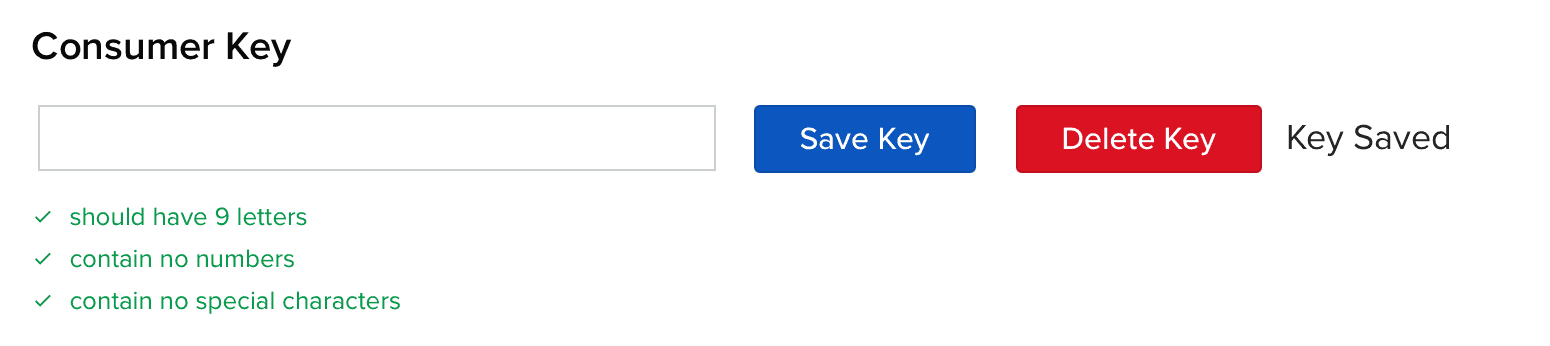
- important consumer key must be 9 UPPER CASE letters - by mistake i saved something like
aBcDeFgHiand nothing worked out, until i logged in again and realized that it was saved asABCDEFGHI
Once you visit the page and confirmed OAuth action you will be asked to set consumer key, which should be nine letters only random string
You might use something like this to generate one:
openssl rand -base64 12 | tr -dc 'A-Za-z' | head -c 9Once you pasted consumer key, press "Save Key" blue button
Next, follow instructions and run
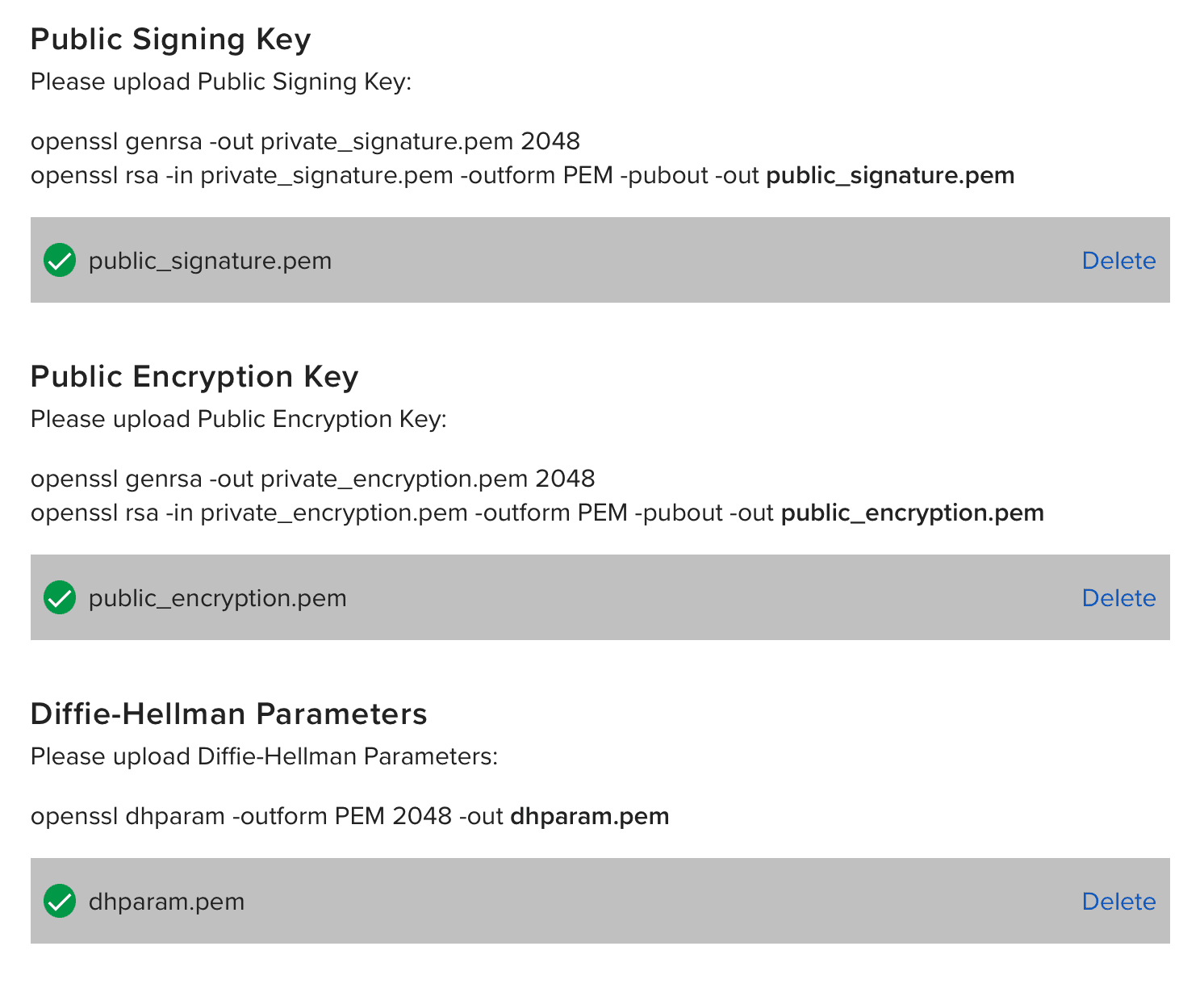
openssl genrsa -out private_signature.pem 2048
openssl rsa -in private_signature.pem -outform PEM -pubout -out public_signature.pem

openssl genrsa -out private_encryption.pem 2048
openssl rsa -in private_encryption.pem -outform PEM -pubout -out public_encryption.pem

# openssl dhparam -outform PEM 2048 -out dhparam.pem # fails with error: Extra option: "2048"
openssl dhparam -out dhparam.pem 2048
This commands will produce:
- dhparam.pem
- private_encryption.pem
- private_signature.pem
- public_encryption.pem
- public_signature.pem
Upload public_signature.pem, public_encryption.pem and dhparam.pem
And finally press "Generate Tokens" in blue Access tokens section
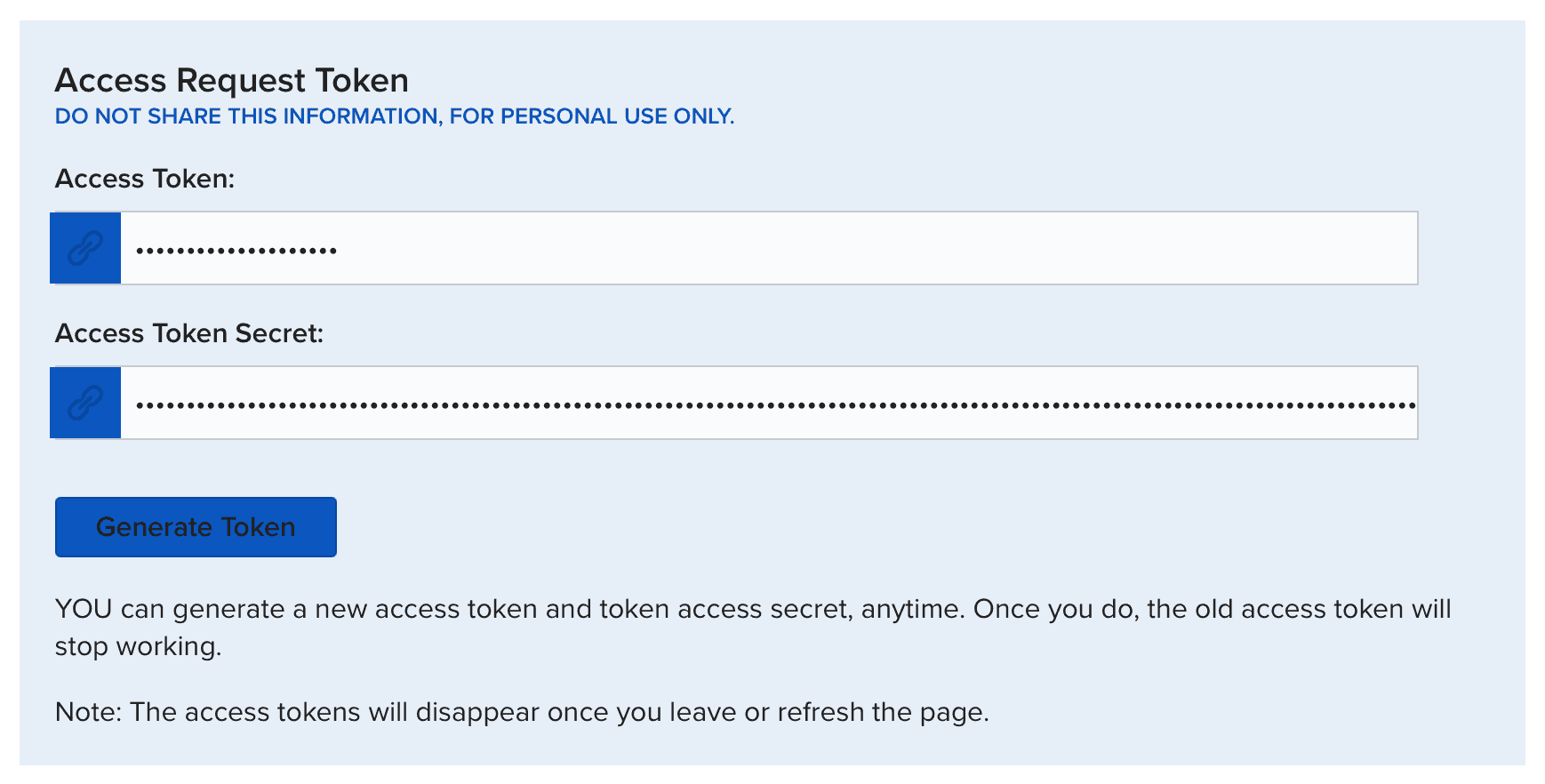
Before closing page make sure to save:
- CONSUMER_KEY
- ACCESS_TOKEN
- ACCESS_TOKEN_SECRET
in my case i have:
tokens.ts
export const CONSUMER_KEY = "xxxxxxxxx";
export const ACCESS_TOKEN = "xxxxxxxxxxxxxxxxxxxx";
export const ACCESS_TOKEN_SECRET = "xxxxxxxxxxxxxxxxxxxx==";
Important: your keys won't work immediatelly, you should wait at least one day, overnight, while servers are in maintanance, they will catch up new keys, in my case, while playing, i did created keys at evening, they did not worked, but at next morning everything started to work as expected
How it works
First we are making
POST https://api.ibkr.com/v1/api/oauth/live_session_token
Authorization: OAuth realm="limited_poa", diffie_hellman_challenge="xxx", oauth_consumer_key="xxxxxxxxx", oauth_nonce="xxx", oauth_signature="xxx", oauth_signature_method="RSA-SHA256", oauth_timestamp="1772000185", oauth_token="xxx"
request with empty body and signed authorization header (signature of request params signed with our keys, see sources)
in response we receive
{
  "diffie_hellman_response": "xxxxxxxxxxxxxxxxxxxxxx",
  "live_session_token_signature": "xxxxxxxxxxxxxxxxxxxxxx",
  "live_session_token_expiration": 1772086315633
}
then we are creating so called live session token using received diffie_hellman_response and our keys
Next, we need initialize our session by making
POST https://api.ibkr.com/v1/api/iserver/auth/ssodh/init
Content-Type: application/json
Authorization: OAuth realm="limited_poa", oauth_consumer_key="xxxxxxxxx", oauth_nonce="xxx", oauth_signature="xxx", oauth_signature_method="HMAC-SHA256", oauth_timestamp="1772000330", oauth_token="xxx"

{ "publish": true, "compete": true }
In response we will receive
{
  "authenticated": true,
  "established": true,
  "competing": false,
  "connected": true,
  "message": "",
  "MAC": "01:00:00:00:00:01",
  "serverInfo": {
    "serverName": "JifZ22107",
    "serverVersion": "Build 10.44.1c, Feb 19, 2026 9:42:36 AM"
  },
  "hardware_info": "10000000|01:00:00:00:00:01"
}
Technically we are done and might call rest api endpoints
But before that here is one more request we are interested in
POST https://api.ibkr.com/v1/api/tickle
Authorization: OAuth realm="limited_poa", oauth_consumer_key="xxxxxxxxx", oauth_nonce="xxx", oauth_signature="xxx", oauth_signature_method="HMAC-SHA256", oauth_timestamp="1772000640", oauth_token="xxx"
it will respond with
{
  "session": "xxxxxxxxxxxxxxxxxxxxxxxxxxxxxxxx",
  "hmds": { "error": "no bridge" },
  "iserver": {
    "authStatus": {
      "authenticated": true,
      "established": true,
      "competing": false,
      "connected": true,
      "MAC": "01:00:00:00:00:01",
      "serverInfo": {
        "serverName": "JifZ22107",
        "serverVersion": "Build 10.44.1c, Feb 19, 2026 9:42:36 AM"
      },
      "hardware_info": "10000000|01:00:00:00:00:01"
    }
  }
}
It is expected that you will call this endpoint every minute to keep your session alive
Also, note session property - you will need it if you want to connect to websockets (see below)
Rest API
Once we have our session initialized we might call rest endpoints like so
GET https://api.ibkr.com/v1/api/iserver/accounts
Authorization: OAuth realm="limited_poa", oauth_consumer_key="xxxxxxxxx", oauth_nonce="xxx", oauth_signature="xxx", oauth_signature_method="HMAC-SHA256", oauth_timestamp="1772000885", oauth_token="xxx"
And if everything fine you will receive your accounts response
All other requests works the same way
Here are few snippets you might want to try
accounts.ts
GET request without params
import { buildApiAuthorizationHeader, initSession } from "./utils.ts";

const { liveSessionToken } = await initSession();

const method = "GET";
const url = "https://api.ibkr.com/v1/api/iserver/accounts";

const data = await fetch(url, {
  method,
  headers: {
    Authorization: buildApiAuthorizationHeader({ method, url, liveSessionToken }),
  },
}).then((r) => r.json());

console.log(data);
search.ts
POST request with body
import { buildApiAuthorizationHeader, initSession } from "./utils.ts";

const { liveSessionToken } = await initSession();
const method = "POST";
const url = "https://api.ibkr.com/v1/api/iserver/secdef/search";

const data = await fetch(url, {
  method,
  headers: {
    Authorization: buildApiAuthorizationHeader({ method, url, liveSessionToken }),
    "Content-Type": "application/json",
  },
  body: JSON.stringify({ symbol: "AAPL" }),
}).then((r) => r.json());

console.log(data);
history.ts
GET request with query params
import { buildApiAuthorizationHeader, initSession } from "./utils.ts";

const { liveSessionToken } = await initSession();
const method = "GET";
const url = "https://api.ibkr.com/v1/api/iserver/marketdata/history?conid=265598&bar=1d&period=1y";

const data = await fetch(url, {
  method,
  headers: {
    Authorization: buildApiAuthorizationHeader({ method, url, liveSessionToken }),
  },
}).then((r) => r.json());

console.log(data);
By intent leaving this samples to proof it works with differnt kinds of requests, key thing is authorization header
WebSockets
Here is example that:
- initializes session as described above
- prepares websocket configurations
- connects to it and simply prints incomming messages
import WebSocket from "ws";

import { buildWebSocketConfig, initSession } from "./utils.ts";

const { sessionId } = await initSession();
const { url, headers } = buildWebSocketConfig({ sessionId });

const socket = new WebSocket(url, { headers });

socket.on("open", () => {
  console.log("ws connected");
});

socket.on("message", (data) => {
  const text = typeof data === "string" ? data : data.toString();
  console.log(text);
});

socket.on("error", (error) => {
  console.error("ws error:", error.message);
});

socket.on("close", (code, reason) => {
  const reasonText = reason.toString();
  console.log(`ws closed code=${code} reason=${reasonText}`);
});
you should see messages like this:
wellcome message
{ "topic": "system", "success": "username", "isFT": false, "isPaper": true }your account info
{"topic":"act","args":{"accounts":["accountid"],"acctProps":{...}}heartbeat
{ "topic": "system", "hb": 1772001296993 }Signatures
Here is the code used in samples
utils.ts
import crypto from "crypto";
import fs from "fs";
import { CONSUMER_KEY, ACCESS_TOKEN, ACCESS_TOKEN_SECRET } from "./tokens.ts";

const BASE_URL = "https://api.ibkr.com/v1/api";
const OAUTH_REALM = "limited_poa";

const privateSignatureKey = fs.readFileSync("private_signature.pem", "utf8");
const privateEncryptionKey = fs.readFileSync("private_encryption.pem", "utf8");
const dhPrimeHex = parseDhPrimeFromPem("dhparam.pem");

/**
 * Decrypts configured access token secret with private encryption key.
 */
const accessTokenSecretBytes = crypto.privateDecrypt(
  {
    key: privateEncryptionKey,
    padding: crypto.constants.RSA_PKCS1_PADDING,
  },
  Buffer.from(ACCESS_TOKEN_SECRET, "base64"),
);

type HttpMethod = "GET" | "POST" | "PUT" | "DELETE";

type HeaderParams = Record<string, string>;

type InitSessionResult = {
  liveSessionToken: string;
  sessionId: string;
};

type WsConnectionConfig = {
  url: string;
  headers: {
    "User-Agent": string;
    Cookie: string;
  };
};

/**
 * Initializes IBKR session state required for authenticated API and websocket calls.
 *
 * Steps:
 * 1) Request live session token.
 * 2) Initialize SSO session.
 * 3) Tickle the gateway and return websocket session id.
 */
export async function initSession(): Promise<InitSessionResult> {
  const liveSessionToken = await requestLiveSessionToken();

  const ssodhUrl = `${BASE_URL}/iserver/auth/ssodh/init`;

  await fetch(ssodhUrl, {
    method: "POST",
    headers: {
      Authorization: buildApiAuthorizationHeader({
        method: "POST",
        url: ssodhUrl,
        liveSessionToken,
      }),
      "Content-Type": "application/json",
    },
    body: JSON.stringify({ publish: true, compete: true }),
  }).then((response) => response.json());

  const tickleUrl = `${BASE_URL}/tickle`;
  const tickle = (await fetch(tickleUrl, {
    method: "POST",
    headers: {
      Authorization: buildApiAuthorizationHeader({
        method: "POST",
        url: tickleUrl,
        liveSessionToken,
      }),
    },
  }).then((response) => response.json())) as { session?: unknown };

  const sessionId = typeof tickle.session === "string" ? tickle.session : "";
  if (!sessionId) {
    console.log(tickle);
    throw new Error("tickle response does not include session id");
  }

  return { liveSessionToken, sessionId };
}

/**
 * Builds OAuth Authorization header for regular API calls.
 *
 * Signature algorithm: HMAC-SHA256.
 * Signing key: base64-decoded live session token.
 */
export function buildApiAuthorizationHeader(input: { method: HttpMethod; url: string; liveSessionToken: string }): string {
  const oauthParams: HeaderParams = {
    oauth_consumer_key: CONSUMER_KEY,
    oauth_nonce: crypto.randomBytes(16).toString("hex"),
    oauth_signature_method: "HMAC-SHA256",
    oauth_timestamp: Math.floor(Date.now() / 1000).toString(),
    oauth_token: ACCESS_TOKEN,
  };

  const baseString = buildBaseString(input.method, input.url, oauthParams);
  const signature = crypto.createHmac("sha256", Buffer.from(input.liveSessionToken, "base64")).update(baseString).digest("base64");

  return buildAuthorizationHeader({
    ...oauthParams,
    oauth_signature: encodeURIComponent(signature),
  });
}

/**
 * Builds websocket connection configuration.
 *
 * Websocket auth in this demo uses oauth_token query param plus `api` cookie from tickle.
 */
export function buildWebSocketConfig(input: { sessionId: string }): WsConnectionConfig {
  return {
    url: `wss://api.ibkr.com/v1/api/ws?oauth_token=${ACCESS_TOKEN}`,
    headers: {
      "User-Agent": "ClientPortalGW/1",
      Cookie: `api=${input.sessionId}`,
    },
  };
}

/**
 * Requests a live session token using RSA-signed OAuth + Diffie-Hellman exchange.
 *
 * Cross-language note:
 * - `generateKeys("hex")` gives DH public value (challenge = g^a mod p).
 * - `computeSecret(serverPublic)` gives shared secret (B^a mod p).
 *
 * This is equivalent to manual modular exponentiation from the first brute-force version.
 */
async function requestLiveSessionToken(): Promise<string> {
  const url = `${BASE_URL}/oauth/live_session_token`;
  const method = "POST";

  const dh = crypto.createDiffieHellman(Buffer.from(dhPrimeHex, "hex"), 2);
  const diffieHellmanChallenge = dh.generateKeys("hex");

  const oauthParams: HeaderParams = {
    diffie_hellman_challenge: diffieHellmanChallenge,
    oauth_consumer_key: CONSUMER_KEY,
    oauth_nonce: crypto.randomBytes(16).toString("hex"),
    oauth_signature_method: "RSA-SHA256",
    oauth_timestamp: Math.floor(Date.now() / 1000).toString(),
    oauth_token: ACCESS_TOKEN,
  };

  const baseString = `${accessTokenSecretBytes.toString("hex")}${buildBaseString(method, url, oauthParams)}`;
  const signature = crypto.createSign("RSA-SHA256").update(baseString).sign(privateSignatureKey, "base64");

  const response = (await fetch(url, {
    method,
    headers: {
      Authorization: buildAuthorizationHeader({
        ...oauthParams,
        oauth_signature: encodeURIComponent(signature),
      }),
    },
  }).then((result) => result.json())) as { diffie_hellman_response?: unknown };

  const serverPublic = typeof response.diffie_hellman_response === "string" ? response.diffie_hellman_response : "";
  if (!serverPublic) {
    console.log(response);
    throw new Error("live_session_token response does not include diffie_hellman_response");
  }

  const sharedSecret = dh.computeSecret(Buffer.from(serverPublic, "hex"));

  return crypto.createHmac("sha1", sharedSecret).update(accessTokenSecretBytes).digest("base64");
}

/**
 * Creates OAuth base string from method, url and sorted raw OAuth parameters.
 */
function buildBaseString(method: string, url: string, params: HeaderParams): string {
  /**
   * Sorts params by key and joins them into `key=value&...` string.
   */
  const sortedParams = Object.entries(params)
    .sort(([keyA], [keyB]) => keyA.localeCompare(keyB))
    .map(([key, value]) => `${key}=${value}`)
    .join("&");
  return `${method.toUpperCase()}&${encodeURIComponent(url)}&${encodeURIComponent(sortedParams)}`;
}

/**
 * Formats OAuth key-value pairs as Authorization header.
 */
function buildAuthorizationHeader(params: HeaderParams): string {
  const pairs = Object.entries(params)
    .sort(([keyA], [keyB]) => keyA.localeCompare(keyB))
    .map(([key, value]) => `${key}="${value}"`)
    .join(", ");

  return `OAuth realm="${OAUTH_REALM}", ${pairs}`;
}

/**
 * Extracts DH prime (`p`) from PEM-encoded DH parameters.
 *
 * The parser reads ASN.1 DER sequence and returns first INTEGER value as hex.
 */
function parseDhPrimeFromPem(path: string): string {
  const pem = fs.readFileSync(path, "utf8");
  const base64 = pem.replace(/-----[^-]+-----/g, "").replace(/\s+/g, "");
  const der = Buffer.from(base64, "base64");

  let offset = 0;
  if (der[offset++] !== 0x30) {
    throw new Error("invalid dhparam: expected sequence");
  }

  const sequenceLength = readAsn1Length(der, offset);
  offset += sequenceLength.bytes;

  if (der[offset++] !== 0x02) {
    throw new Error("invalid dhparam: expected prime integer");
  }

  const primeLength = readAsn1Length(der, offset);
  offset += primeLength.bytes;

  return der
    .slice(offset, offset + primeLength.length)
    .toString("hex")
    .replace(/^00+/, "");
}

/**
 * Reads ASN.1 length field from DER buffer.
 */
function readAsn1Length(buffer: Buffer, offset: number): { length: number; bytes: number } {
  const first = buffer[offset];
  if ((first & 0x80) === 0) {
    return { length: first, bytes: 1 };
  }

  const valueBytes = first & 0x7f;
  let length = 0;
  for (let index = 0; index < valueBytes; index += 1) {
    length = (length << 8) + buffer[offset + 1 + index];
  }

  return { length, bytes: 1 + valueBytes };
}
Note: it does not rely on any 3rd party libraries, so as result, it should be possible to port it to any other language if needed
Server
Here is small getting strated example for server
import { createServer } from "http";
import { buildApiAuthorizationHeader, initSession } from "./utils.ts";

const { liveSessionToken } = await initSession();

setInterval(async () => {
  const method = "POST";
  const url = "https://api.ibkr.com/v1/api/tickle";
  const result = await fetch(url, {
    method,
    headers: {
      Authorization: buildApiAuthorizationHeader({ method, url, liveSessionToken }),
    },
  }).then((r) => r.json());
  console.log(result.iserver.authStatus.authenticated && result.iserver.authStatus.connected ? "alive" : result);
}, 60_000);

createServer((req, res) => {
  if (req.url === "/") {
    res.writeHead(200, { "Content-Type": "application/json" }).end(JSON.stringify({ message: "Hello World!" }));
  } else if (req.url === "/accounts") {
    const method = "GET";
    const url = "https://api.ibkr.com/v1/api/iserver/accounts";
    fetch(url, {
      method,
      headers: {
        Authorization: buildApiAuthorizationHeader({ method, url, liveSessionToken }),
      },
    })
      .then((r) => r.json())
      .then((data) => {
        res.writeHead(200, { "Content-Type": "application/json" }).end(JSON.stringify(data));
      });
  } else if (req.url?.startsWith("/search")) {
    const symbol = new URL(req.url, `http://${req.headers.host}`).searchParams.get("symbol");
    if (!symbol) {
      res.writeHead(400, { "Content-Type": "application/json" }).end(JSON.stringify({ error: "symbol parameter is required" }));
      return;
    }

    const method = "POST";
    const url = "https://api.ibkr.com/v1/api/iserver/secdef/search";
    fetch(url, {
      method,
      headers: {
        Authorization: buildApiAuthorizationHeader({ method, url, liveSessionToken }),
        "Content-Type": "application/json",
      },
      body: JSON.stringify({ symbol }),
    })
      .then((r) => r.json())
      .then((data) => {
        res.writeHead(200, { "Content-Type": "application/json" }).end(JSON.stringify(data));
      });
  } else {
    res.writeHead(404, { "Content-Type": "application/json" }).end(JSON.stringify({ error: "Not Found" }));
  }
}).listen(3000, () => console.log("open http://localhost:3000"));
Obviously it should be tuned, but might be used as starting point, key thing to remember is that such servers should keep session alive, and also you should think about cases when suddenly you become unauthorized, you should reinitilize your session once again and so on.